


Print My Fonts 26.11.3 for Windows – Free Download and Complete Guide
Managing multiple fonts on a Windows computer can become difficult, especially for graphic designers, content creators, office workers, and users who regularly work with typography. When hundreds of fonts are installed, finding the right typeface for a particular project can take considerable time. A font preview and printing utility can make this process easier.
Print My Fonts for Windows is a font utility designed to help users view and print samples of fonts installed on their computers. Instead of opening fonts individually, users can compare different typefaces and create printed font samples for convenient reference.
Whether you are choosing fonts for graphic design, preparing documents, creating presentations, or exploring typography styles, Print My Fonts provides a straightforward way to review available fonts.
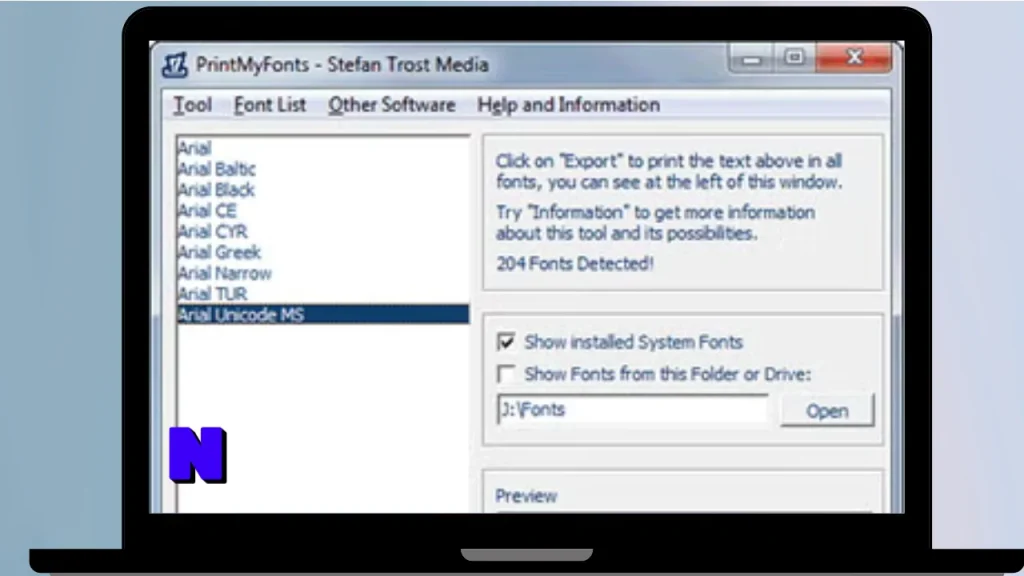
What Is Print My Fonts?
Print My Fonts is a Windows utility that allows users to display font samples and print them for reference. It is useful for people who work with different typefaces and want to compare font appearances without opening multiple applications.
The software helps users see how text looks in different fonts. This makes it easier to select suitable typography for documents, logos, invitations, presentations, posters, and other creative projects.
Rather than manually checking each installed typeface, users can use the program to create a visual overview of their fonts.
Key Features of Print My Fonts for Windows
1. Preview Installed Fonts
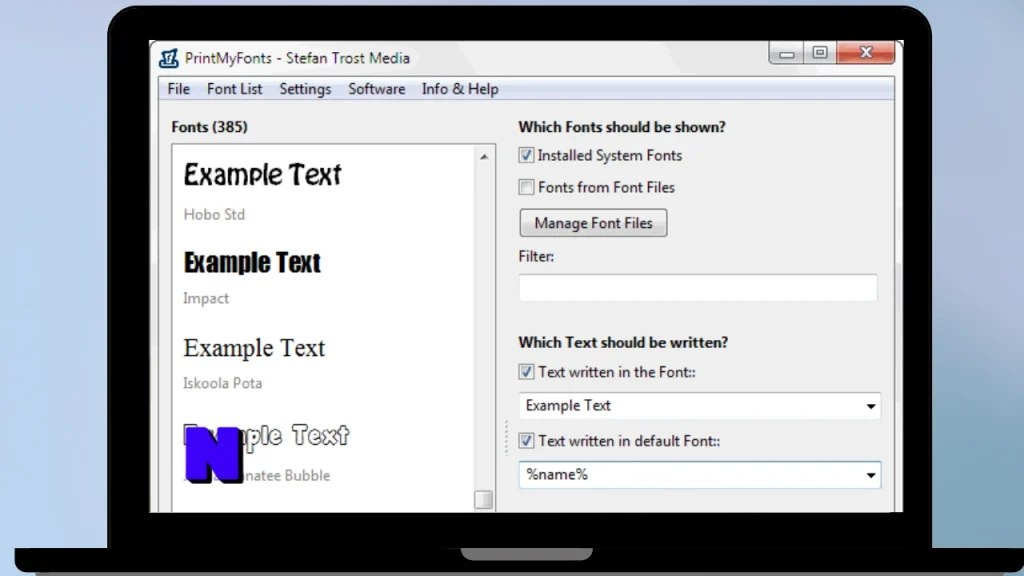
Print My Fonts allows users to preview fonts available on their Windows system. This makes it easier to understand how different typefaces look before using them in a project.
2. Compare Different Typefaces
Comparing fonts is important when selecting typography. The program helps users review different font styles and identify which one works best for their requirements.
3. Print Font Samples
One of the main purposes of the software is printing font samples. Users can create physical references of different typefaces for later use.
4. Custom Text Preview
Previewing fonts with sample text helps users understand how a particular typeface looks with their preferred wording. This can be useful when selecting fonts for titles, headings, and other design elements.
5. Simple User Interface
The application focuses on font viewing and printing rather than complicated design functions. Its straightforward interface makes it accessible to users who need a basic font utility.
6. Useful for Typography Selection
Designers and document creators often need to compare multiple fonts before making a final decision. Print My Fonts can simplify this selection process.
7. Font Reference Creation
Printed font samples can serve as a physical reference when working on creative projects. Users can keep these samples organized for future typography decisions.
8. Supports Windows Font Workflows
The software is intended for Windows users who want a convenient way to review fonts available on their computers.
Benefits of Using Print My Fonts
Print My Fonts can be useful in several situations:
- Saves time: Review multiple fonts without opening each one separately.
- Improves font selection: Compare typefaces before choosing one for a project.
- Physical references: Print font samples and keep them for future use.
- Useful for designers: Explore different typography styles for creative work.
- Simple workflow: Focus on font previewing and printing without unnecessary complexity.
- Better organization: Build a personal reference collection of frequently used fonts.
Who Should Use Print My Fonts?
Print My Fonts can be useful for different types of Windows users.
Graphic Designers: Compare typefaces before creating posters, banners, logos, and other graphics.
Office Workers: Review fonts before preparing reports, letters, presentations, and business documents.
Students: Explore typography options for assignments, projects, and educational materials.
Content Creators: Find suitable fonts for thumbnails, promotional materials, and visual content.
Typography Enthusiasts: Examine different font appearances and build a personal collection of printed samples.
How to Use Print My Fonts on Windows
Getting started with a font preview utility is generally straightforward. Follow these basic steps:
- Download a compatible Print My Fonts installer or package from a trusted source.
- Open the downloaded file.
- Follow the installation instructions if an installer is provided.
- Launch Print My Fonts.
- Review the available fonts displayed by the application.
- Select the fonts you want to compare.
- Enter or choose sample text if the installed version supports custom text.
- Preview the selected typefaces.
- Use the available printing options to create font samples.
The exact interface and available options may differ depending on the software version.
Print My Fonts Free Download for Windows
Users searching for Print My Fonts for Windows often want a simple utility for viewing and printing font samples. Before downloading, check that the package is compatible with your Windows version and comes from a trustworthy distribution source.
The availability of free downloads, installation packages, and specific features can vary by release. Check the software’s licensing information before using it, especially if you intend to use it for commercial projects.
Avoid modified installers and suspicious download packages. They may contain unwanted programs or security risks.
System Requirements
The exact system requirements depend on the version of Print My Fonts you install. Consider the following general requirements before downloading:
| Requirement | Details |
|---|---|
| Operating System | Windows |
| Processor | Compatible Windows-supported processor |
| RAM | Sufficient memory for normal application use |
| Storage | Available space for the application |
| Display | Standard Windows-compatible display |
| Printer | Required for physical font sample printing |
| Permissions | Appropriate permissions to install and access fonts |
Check the requirements of the specific release before installation.
Pros and Cons of Print My Fonts
Pros
- Provides a convenient way to preview fonts.
- Helps compare different typefaces.
- Supports printing font samples.
- Useful for typography selection.
- Suitable for designers and everyday Windows users.
- Focuses on a specific font-management task.
Cons
- Focuses mainly on font previewing and printing.
- Does not replace professional graphic design software.
- Available features may depend on the version.
- Requires a printer to create physical font references.
- Compatibility should be checked before installation.
Alternatives to Print My Fonts
If you need additional font management or typography features, consider these alternatives:
1. NexusFont
NexusFont is a font management utility designed to help users organize, preview, and manage typefaces.
2. FontBase
FontBase provides font browsing and organization features for designers who work with large font collections.
3. MainType
MainType offers font management capabilities for users who need more advanced tools for handling installed and uninstalled fonts.
4. FontViewOK
FontViewOK is a lightweight font viewing utility that helps users preview and compare different fonts.
5. Windows Font Settings
Windows includes built-in font management options that allow users to view installed fonts and manage their font collection.
Is Print My Fonts Worth Downloading?
Print My Fonts can be a useful choice for Windows users who want a dedicated way to preview and print font samples. Its main advantage is helping users compare typefaces without relying on a full graphic design application.
For people who regularly work with typography, printed font samples can make the selection process more convenient. However, users looking for advanced font organization, activation, or professional font library management may prefer a more comprehensive alternative.
Overall, Print My Fonts is worth considering if your main requirement is reviewing and printing font samples on Windows.
Frequently Asked Questions (FAQs)
1. What is Print My Fonts?
Print My Fonts is a Windows font utility designed to display font samples and help users print examples of available typefaces.
2. Is Print My Fonts free to download?
Free download availability depends on the particular release and its licensing terms. Check the license information before installing or using the software.
3. Does Print My Fonts work on Windows 11?
Compatibility depends on the software version. Check the requirements of the release before installing it on Windows 11.
4. Can I use Print My Fonts to compare fonts?
Yes, the software is designed to help users review and compare font appearances.
5. Can Print My Fonts print font samples?
Printing font samples is one of the primary purposes of the application.
6. Is Print My Fonts useful for graphic designers?
Yes. Designers can use font samples to compare typefaces before selecting typography for creative projects.
7. Do I need a printer to use Print My Fonts?
A printer is needed to produce physical font samples. You may still be able to use available preview functions without one.
8. Can I preview installed Windows fonts?
The program is intended to help users view fonts available on their Windows systems. Exact font access depends on the application version and permissions.
9. Does Print My Fonts replace professional font management software?
No. It is primarily intended for font previewing and printing rather than comprehensive font library management.
10. Is Print My Fonts suitable for beginners?
Yes. Its focused purpose makes it a practical option for users who want a simple way to review and print font samples.
Conclusion
Print My Fonts for Windows is a practical utility for users who want to preview, compare, and print different typefaces. It can make font selection easier for graphic designers, students, office workers, and typography enthusiasts.
If you regularly work with multiple fonts and prefer having printed samples for reference, this application may be worth exploring. Before downloading, make sure you select a compatible version and review its licensing and installation requirements.


